Full disclosure: I'm an IP attorney, not a developer. These are things I built anyway — evenings and weekends, with Claude Code handling the implementation while I drove the design decisions. No engineering team, no product roadmap, and a combined user base of two. They're here because "what does building with AI actually look like?" comes up a lot, and a thing running on my bedroom wall is a better answer than a think piece. The day job is trademark work, and my firm handles patents and copyrights too — if you need legal help, book a consultation. If you just want to chat about the coding projects, email me directly: brian@lynchllp.com.
Decibelle
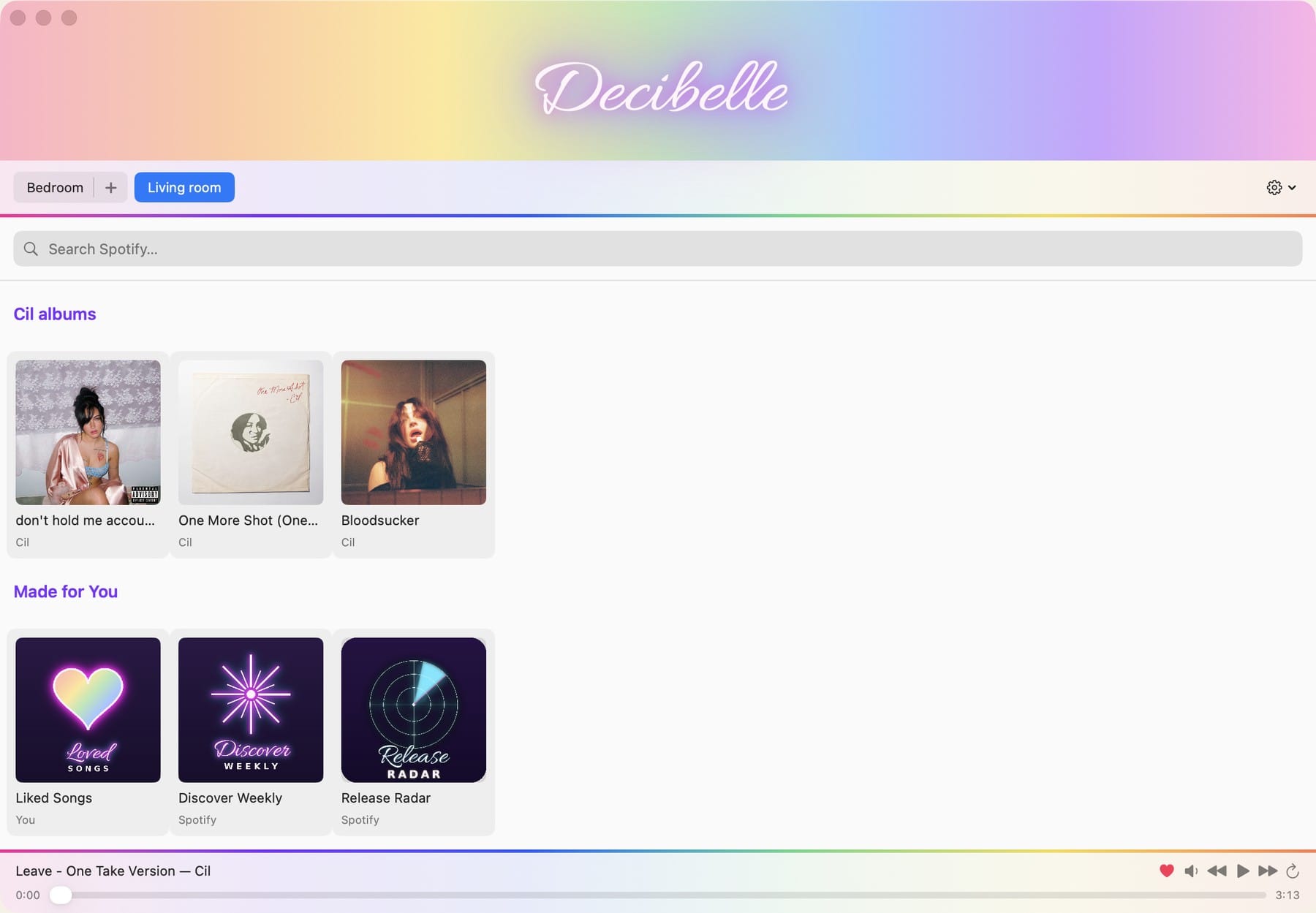
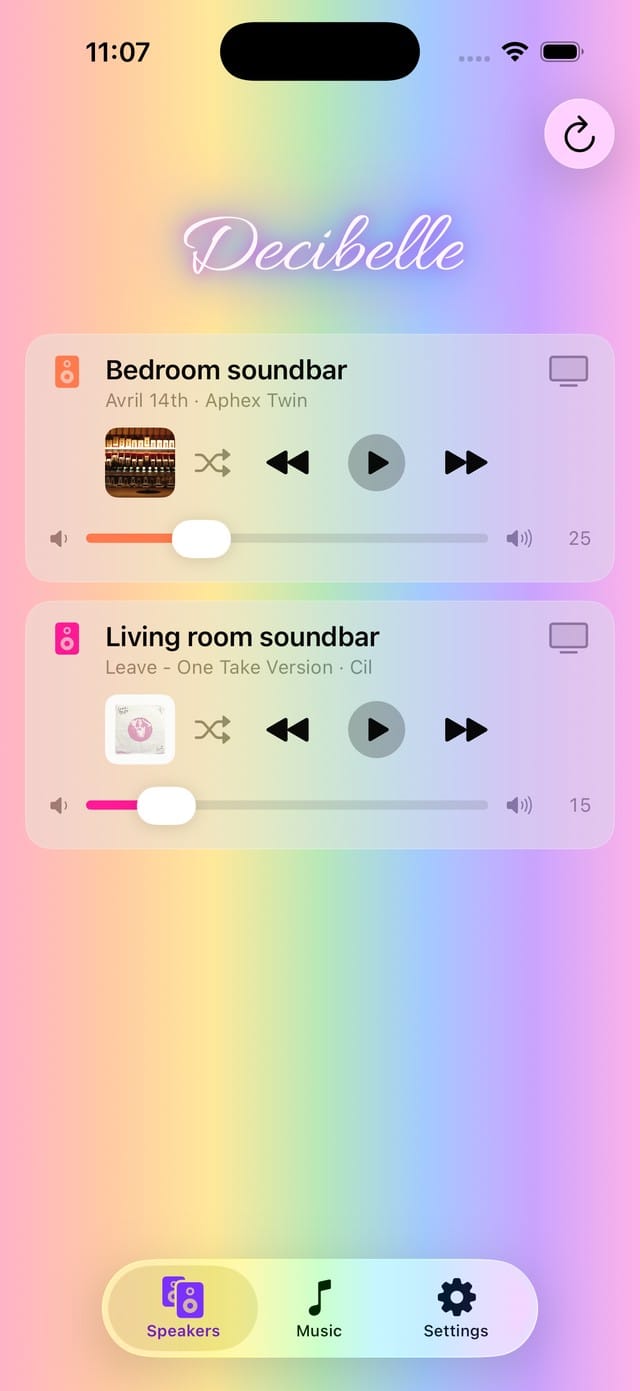
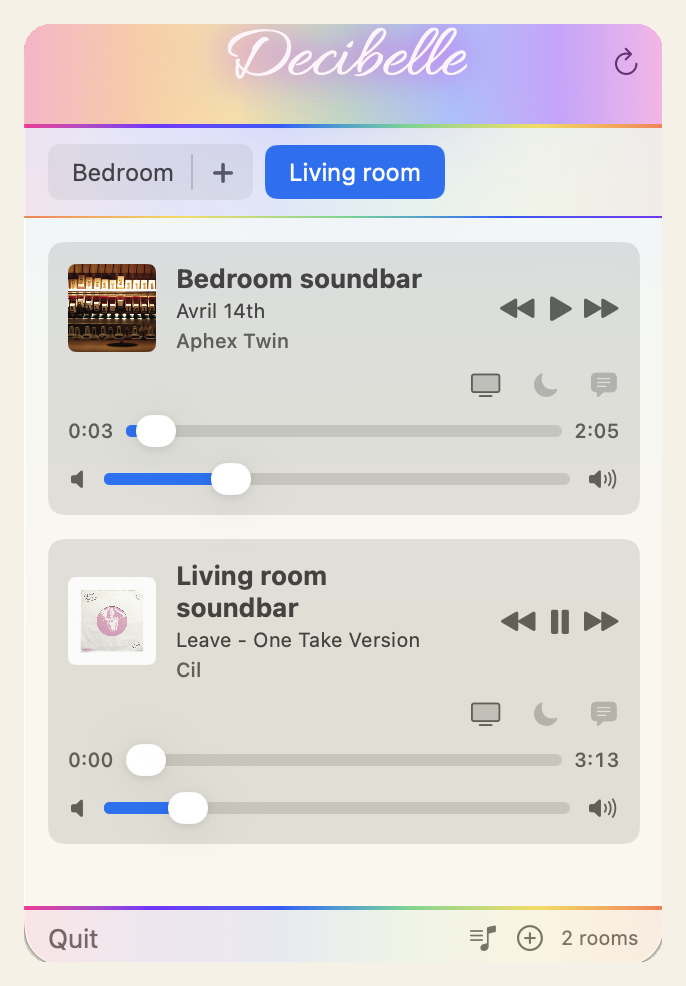
Two apps in one weekend: a Mac menu-bar controller, built after Sonos let their desktop app rot — and an iPhone app that exists because the official Sonos app "works fine," which was never the point.
 Decibelle · for the household of two
Part one was irritation: Sonos stopped updating their desktop app and said it would never be rebuilt for Apple Silicon — by the end, getting it unstuck usually meant reinstalling it. So I built the controller they used to ship. It lives in the menu bar, finds the speakers on the local network over SSDP and Bonjour, groups and ungroups rooms, and drives Spotify playback. It does what I want and nothing else.
Part two was the unhinged sequel. I asked my wife if she wanted it on her computer — she didn't, she wanted an app. I pointed out the Sonos app works fine. "But it's not very pretty like your app." So I built an app that didn't need making: same engine, dressed for her. It strips out everything we don't use — which, in Spotify's case, is most of it. Their own app keeps shoveling podcasts, audiobooks, and algorithmic filler at us, and using it has started to feel like paying money to subsidize someone else's Joe Rogan experience. Decibelle is just our music. It adds a pin grid so the playlists and albums in heavy rotation live on the front screen, and got the fun details — the pulsing wordmark, custom Loved Songs and Discover Weekly tiles I like better than Spotify's own.
And here's where being an IP attorney becomes the relevant credential: Decibelle can never be sold. Spotify's developer policy flatly prohibits commercial use of apps that stream their content — no selling the app, no ads inside it — and development-mode API access caps out at five authenticated users. The bigger "extended quota" tier is reserved for registered businesses that already have a quarter-million monthly active users, and even they can't sell a streaming app. I read the developer terms the way I read everything — occupational habit — and the honest conclusion is that the door to "$0.99 on the App Store" is welded shut by policy, not by code. So it remains what it is: software for a household of two, working flawlessly for its entire addressable market.
- SwiftUI
- Sonos local UPnP
- SSDP · Bonjour
- Spotify Web API
- TestFlight
- Spotify blocked my token for twelve hours for hammering their API from the simulator. Dev-mode rate limits are real, and tight.
- Simulators are not phones. A host of bugs only appeared on real hardware — and some "bugs" quietly weren't, they were just slower in the simulator.
- I caught Claude inventing API endpoints that don't exist. Finding that without domain knowledge is genuinely hard.
- The working model is less "magic robot," more fast junior who writes the code while you do the diagnostic work and scope each change.
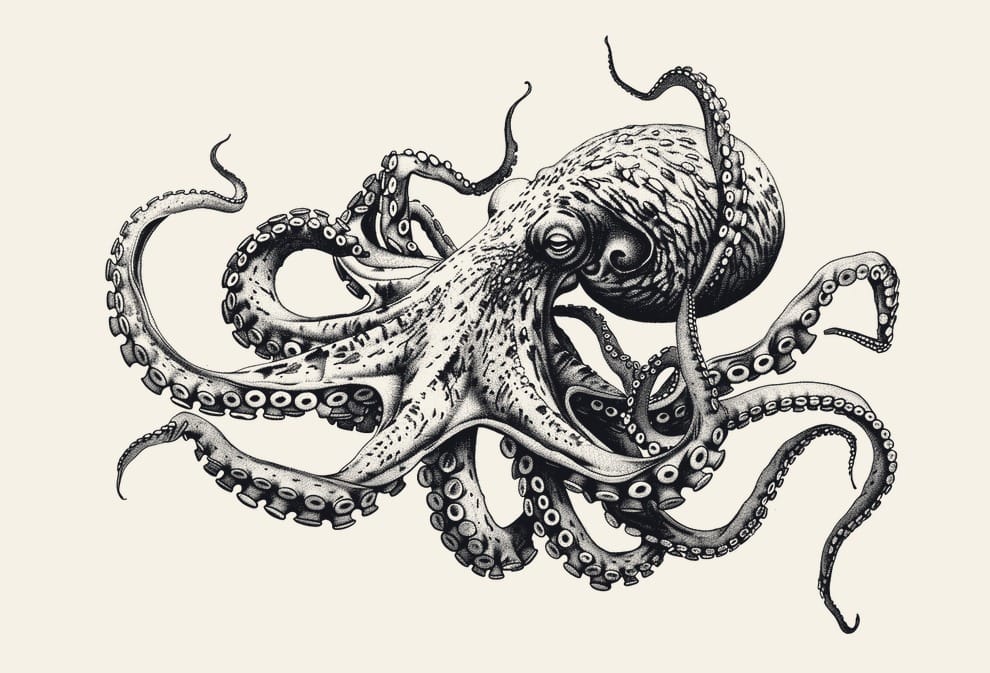
The resident kraken. The "deep cuts" section resurfaces albums you loved and forgot, and it's guarded by this octopus — it breathes while idle, doubles as the section's refresh control, and writhes through one full pass when tapped.
It's the kind of detail that survives when the entire approval chain is you.
Tapped, in the app: one full writhe, and a fresh hand of deep cuts.
Bouquet Cafe & Bouquet
A family calendar that lives on a 77-inch OLED, driven by a Raspberry Pi — and a companion iPhone app that turns photos of school flyers into calendar entries, and now asks sensible questions about the calendar before anything goes wrong.
My wife is a neuroscientist who travels about half the time and has very poor eyesight. The same 5 a.m. questions kept coming up — what's the weather where I'm going, what are the dates, can you open the calendar while I pack — so I put the answers in one place she can read from across the room.
My first thought was that if my smart TV could host a pile of disorganized streaming apps I'll never open, surely it could host an indie app for two people. That was naive. Smart TV platforms don't anticipate anyone coding for just their own home — they mostly broker deals over who gets top billing on the home screen, which ends up looking like something an ADHD squirrel with a subscription addiction would make. So: a Raspberry Pi.
The shared calendar lives in iCloud, and the Pi is the brain in front of it: it pulls events over CalDAV, folds in weather, renders the wall display in a Chromium kiosk, and publishes the same data as a JSON feed. A local Qwen model on the Pi audits new entries and fixes what Siri does to my voice ("coffee with chris evan's" becomes "Coffee with Chris Evans"). I considered a cloud model for that pass, but a local one costs nothing per token — and for this job, anything bigger would be a small atomic weapon to kill a mosquito. Nothing is exposed to the internet; Tailscale lets the phone reach the Pi from anywhere. The routine AI work — the cleanup pass, flyer reading — runs on the Pi or the phone and costs nothing. The one deliberate exception is the new calendar helper, below.
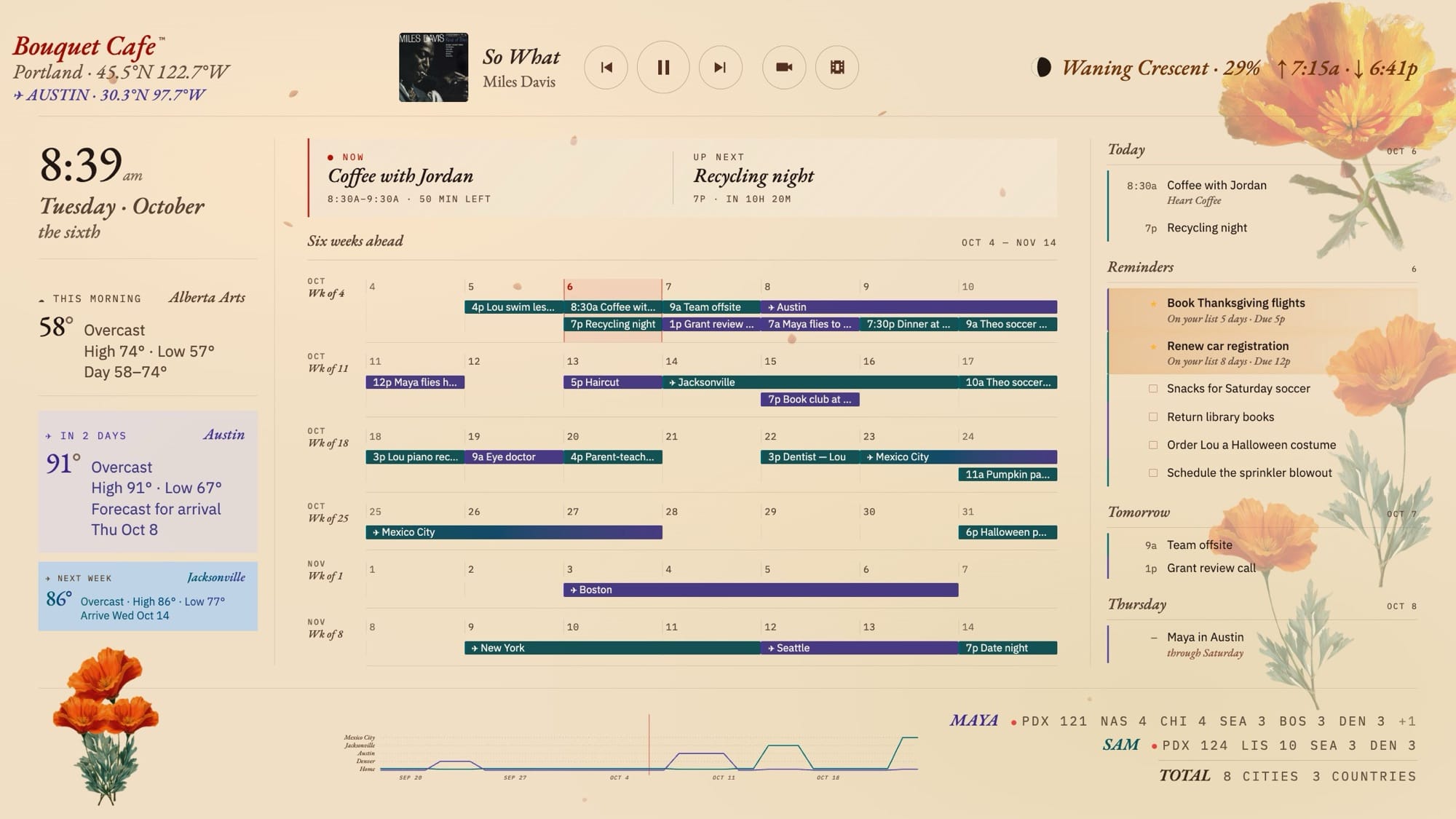
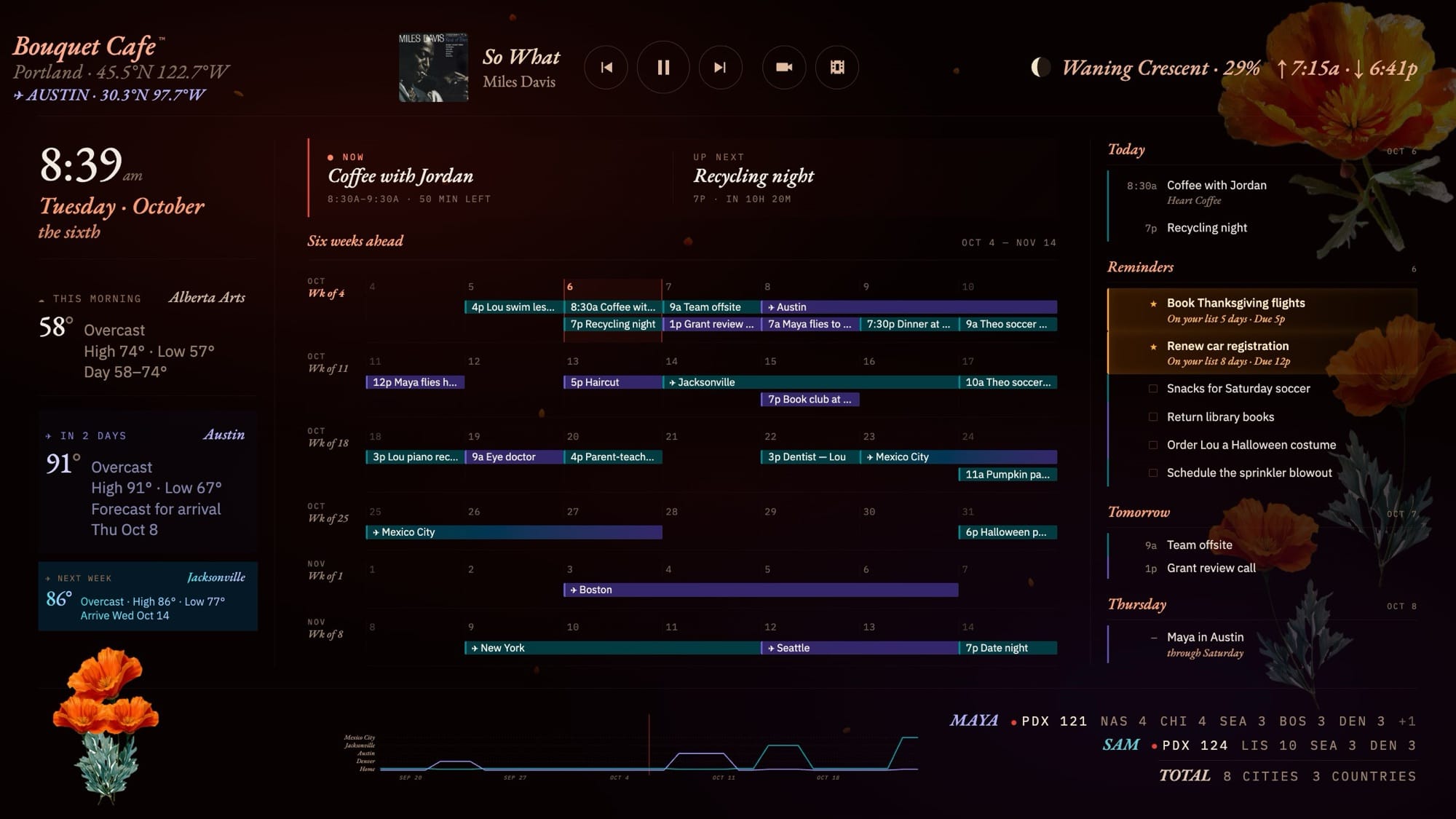
The dashboard went through roughly eight design generations to get something legible from ten feet that reads like a printed almanac rather than a smart-home product: editorial typography, a painted botanical ground with falling petals, automatic day/night theming. It's a rare case where the form is the function — if it weren't genuinely nice to look at, it wouldn't get used, full stop.
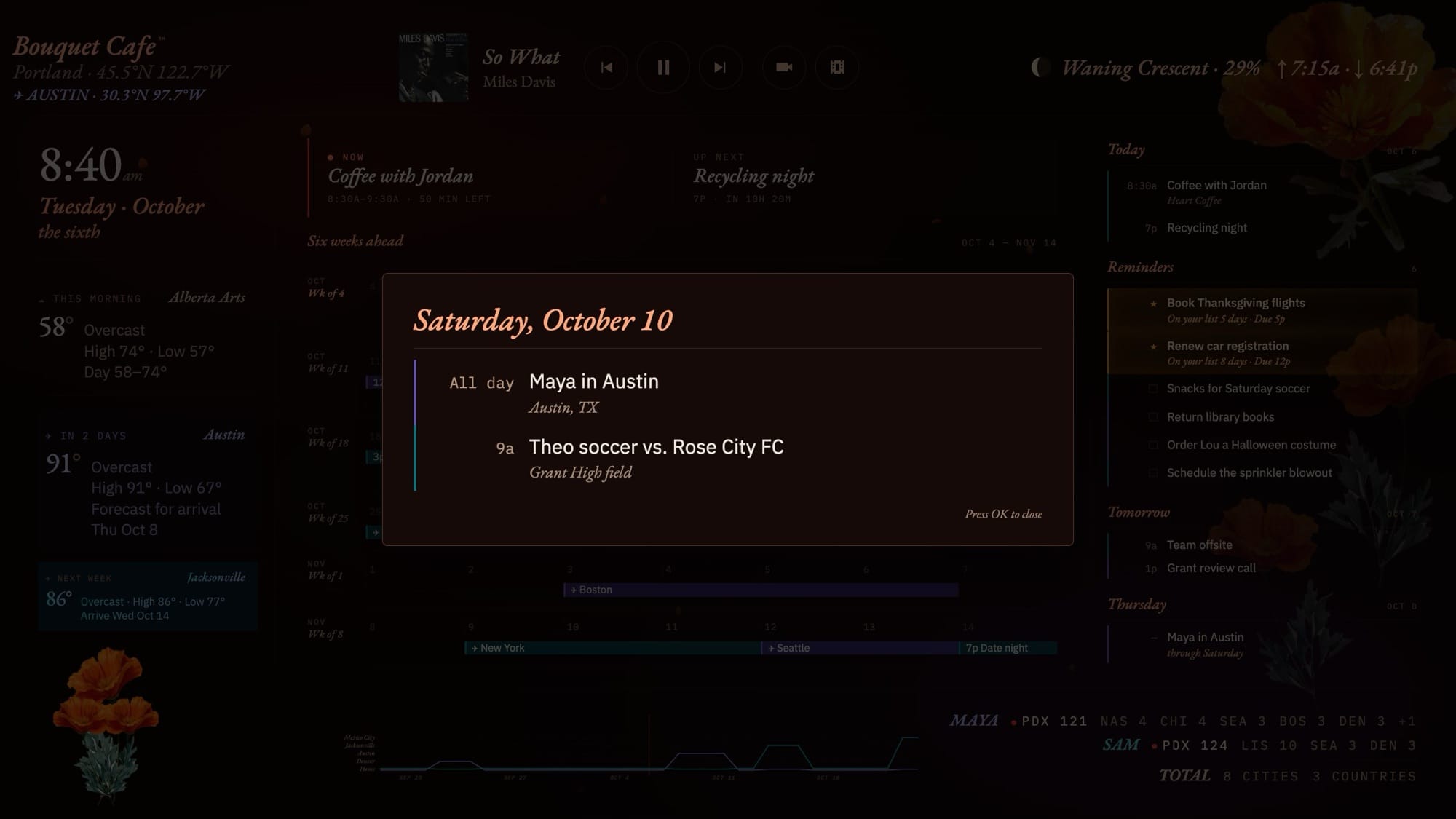
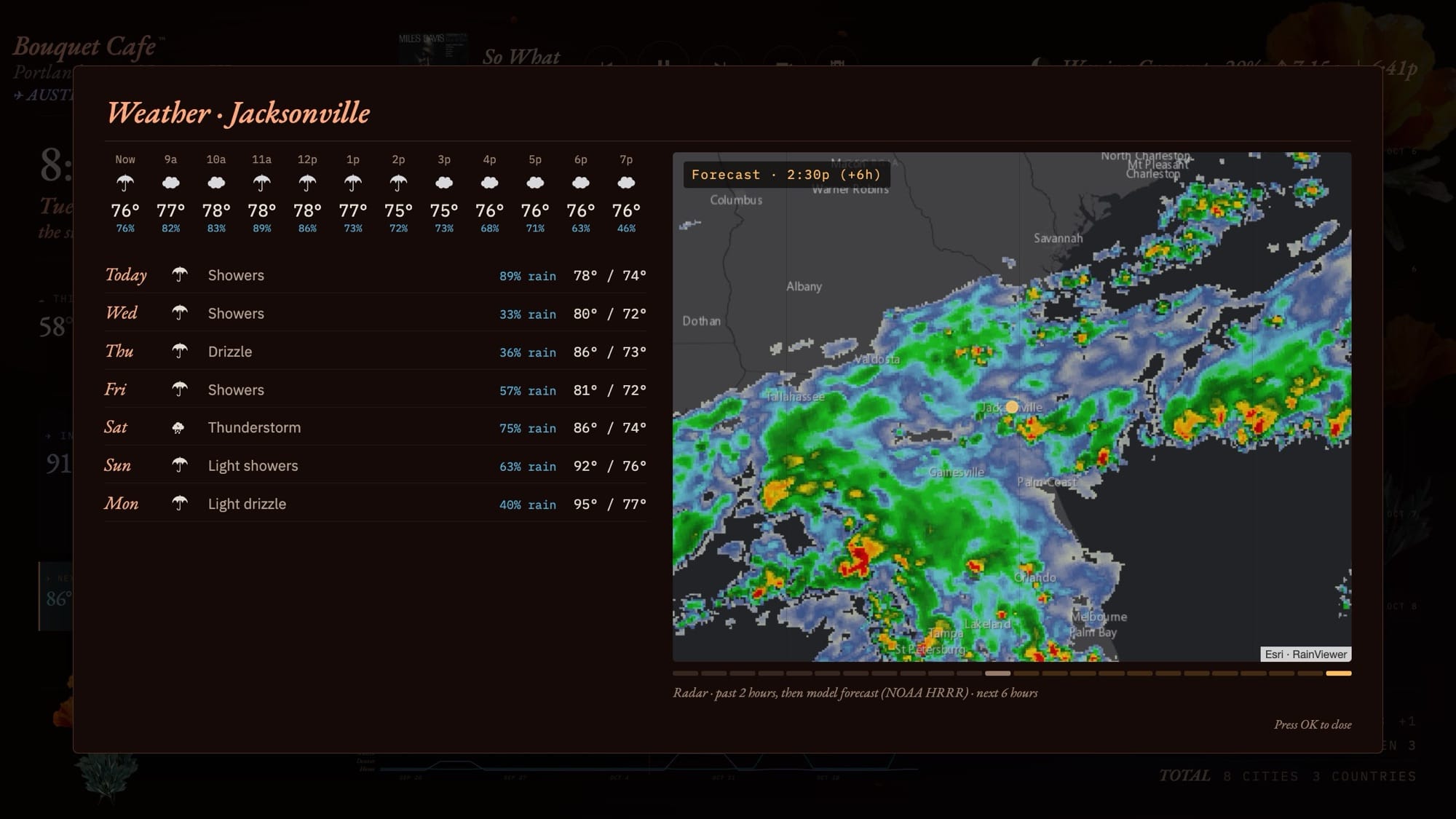
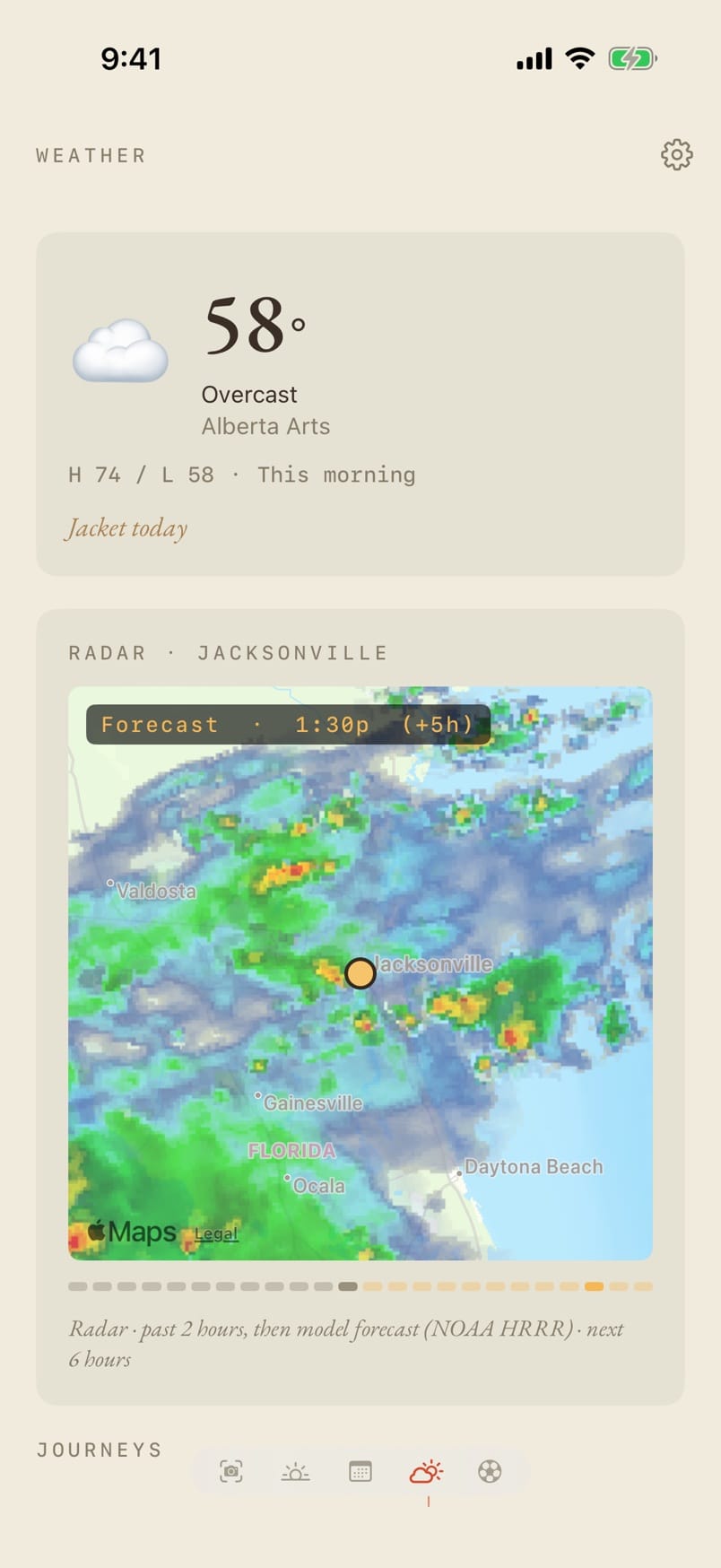
The latest generation got a new name, Bouquet Cafe, and a top bar: what's playing on the bedroom Sonos, with album art and controls, plus a button for the camera wall. The TV's own remote drives all of it over HDMI-CEC — arrow to a day for its agenda, star or check off a reminder (it syncs back to Apple Reminders), or open any weather card for the week ahead and a radar loop that runs two hours back and six hours forward.

Bouquet — the flyer eater
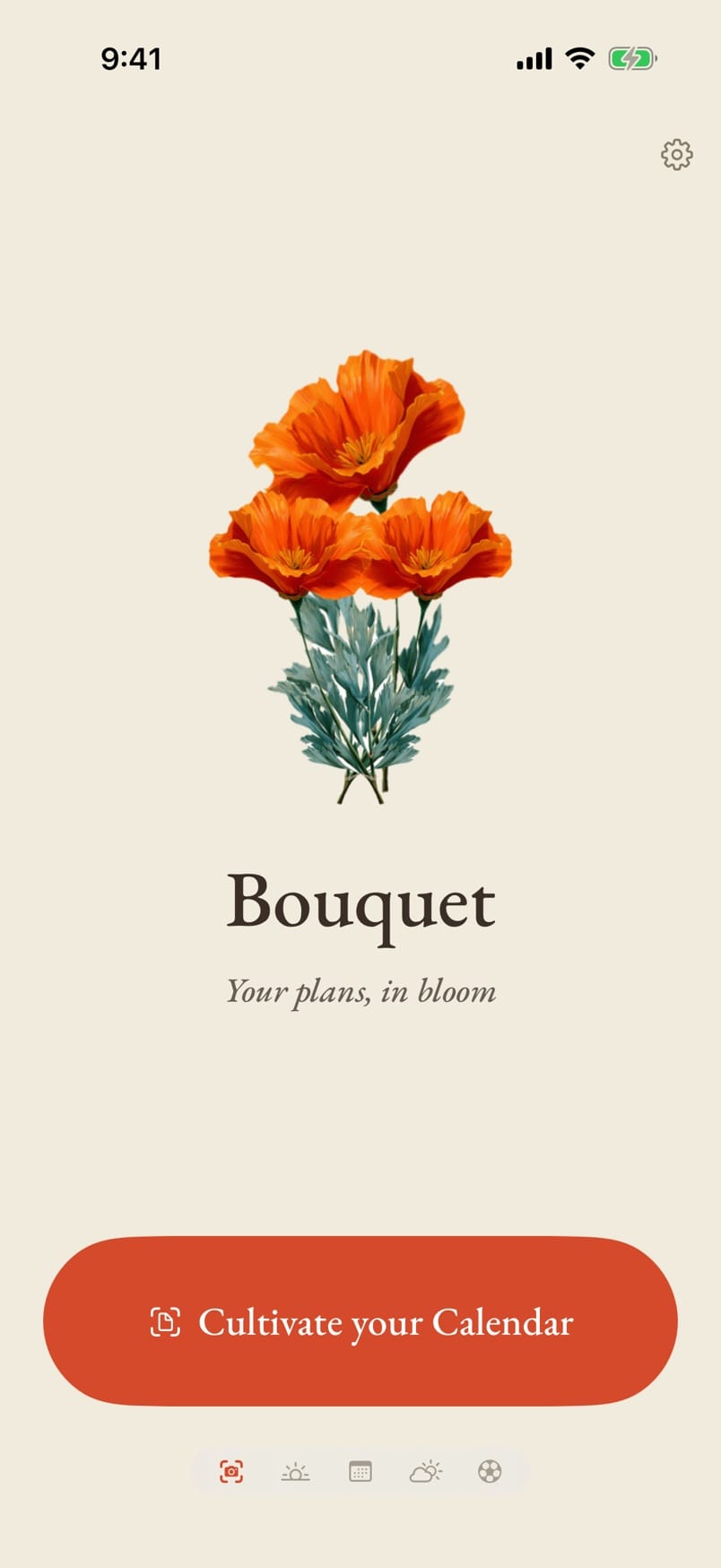
Bouquet, the iPhone app, reads the Pi's feed and writes new events back — including events extracted from a photo of a flyer, using Apple's on-device Vision OCR and foundation models. Point it at a school flyer or a wedding invitation; it hands back a structured event for one-tap approval. Nothing leaves the phone.
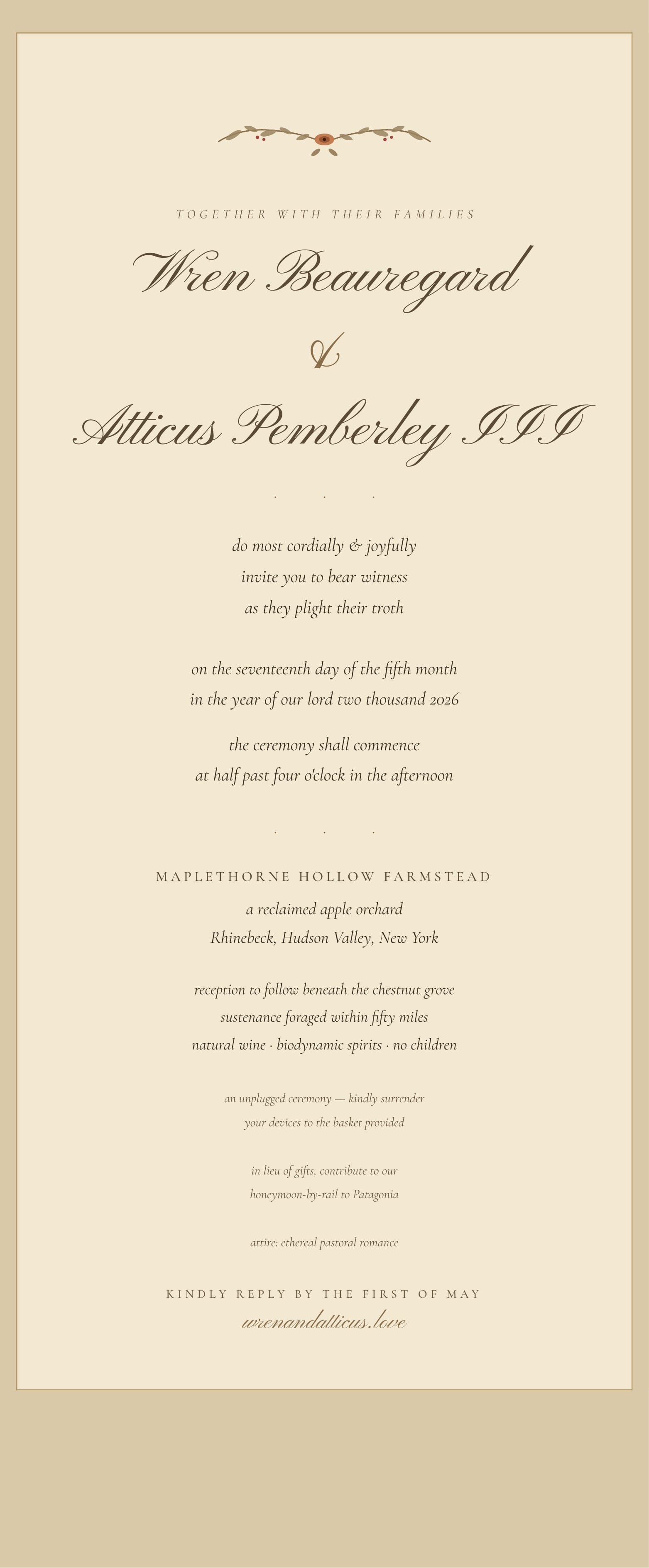
Exhibit: the test fixtures. You can't test a flyer-eater on real mail, so I had Claude generate fake invitations — and they're a genre unto themselves. Wren Beauregard and Atticus Pemberley III request the honor of your presence at a reclaimed apple orchard; sustenance is foraged within fifty miles; devices surrendered to the basket provided; in lieu of gifts, contribute to a honeymoon-by-rail to Patagonia.
The phrasing is deliberately hostile to parsers — "the seventeenth day of the fifth month" and "half past four o'clock in the afternoon" instead of anything a regex would love. And to be extra challenging, we tested by photographing them off a screen, moiré and glare included, because a photo of a monitor is meaner to OCR than paper ever is. It still extracts the event.
The helper that asks first
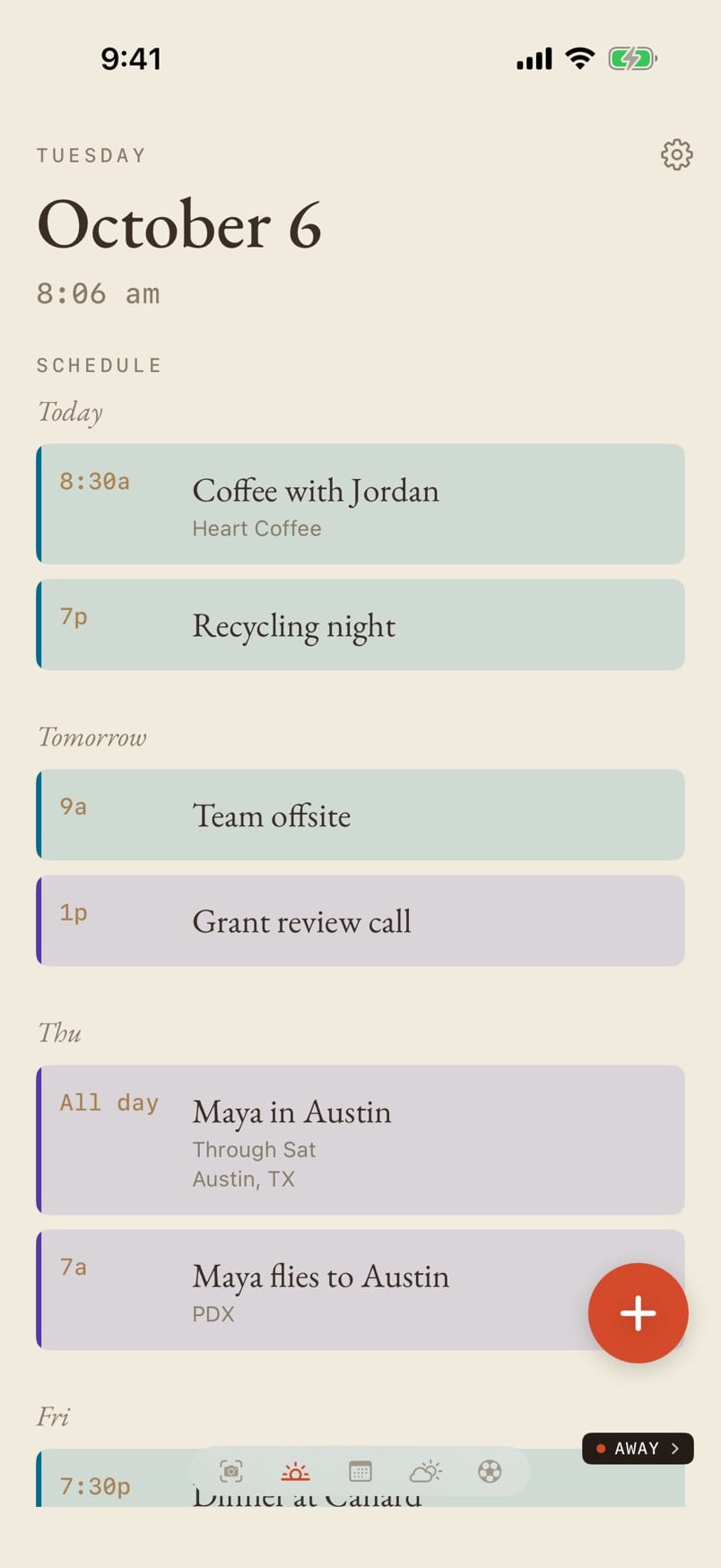
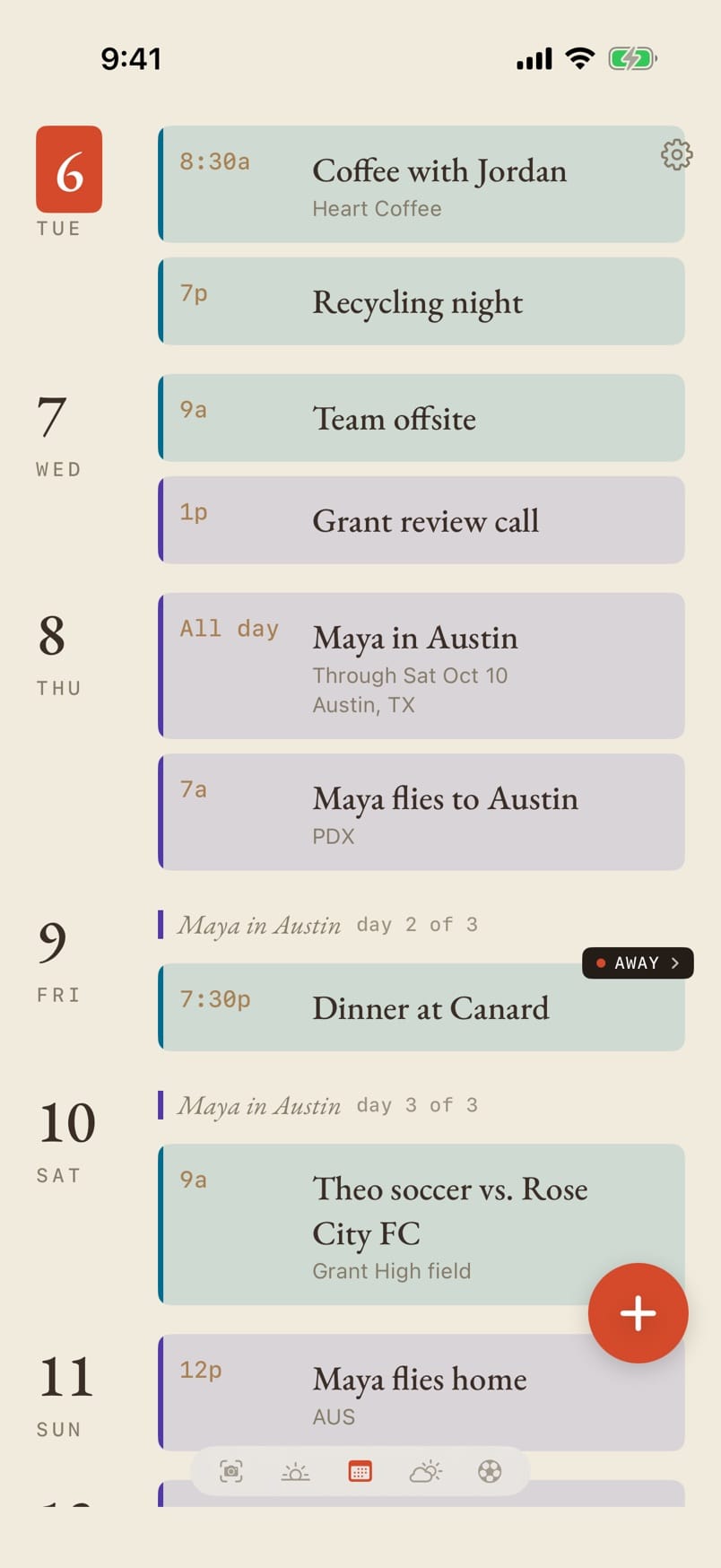
The newest piece is a calendar helper. A script on the Pi watches the calendar for things a person would ask about — the same appointment entered twice, an entry with no hint of whose it is, one of us traveling while the kids have games — and pins a small black tag on the event. Tap the tag and it asks a question, with a few one-tap answers. Answer it, and Claude proposes the exact calendar changes. Nothing is written until you hit Apply, and Undo is right there after.
This is the one place in the project where a cloud model earns its keep. Spotting the problem is simple rules running on the Pi; turning "Sam has soccer, move dinner" into the right edits is a judgment call, and that's worth a few cents. Only the events in question and your reply leave the house, and it runs on a hard monthly budget, printed right at the bottom of the sheet.


- Raspberry Pi 5
- Python · FastAPI
- Chromium kiosk
- HDMI-CEC
- Sonos local UPnP
- SwiftUI
- iCloud · CalDAV
- Open-Meteo
- RainViewer · NOAA HRRR
- Vision · Apple Foundation Models
- Qwen via Ollama
- Claude API
- Tailscale
Favorite bug: a multi-day "memory leak" on the Pi that wasn't a leak at all — a weather-API outage was triggering a retry storm. The browser was innocent the whole time.
Both projects were built almost entirely through Claude Code — me making every design decision and reading every terms-of-service document, Claude writing most of the code, handling the Linux plumbing, and grinding through the pasted-in error logs with me during the tedious stretches of bug hunting. Credit where due to the rest of the toolchain, too: Xcode does the building, signing, and shipping of the apps — that part isn't AI, and pretending otherwise would oversell it. So, for the record, the theme this site runs on was also built this way.
If you're a client wondering what AI-assisted development means for ownership of your code, that's a conversation I'm unusually well equipped to have. Book a consultation